
Practical guide
Take vehicle overview photos that explain the wrap scope
Capture the body and useful views clearly before collecting close-up details.
Read the guide: Take vehicle overview photos that explain the wrap scopeChicago commercial vehicles & fleets
Show the real vehicle, useful panels and existing condition. Better project information helps make the commercial graphics scope clearer.
Guaranteed response within 2 hours.Free planning tools and buyer downloads below.
A clear scope before the spend.
Free vehicle photo shot-list builder below. Use the result with any wrap shop.
More useful project detail
Build an estimator-friendly photo set with clear overviews, useful condition details and filenames connected to the actual vehicle.

A visual you can keep
Give the reader clear views, useful details and a traceable index.
Use the planning example from Chicago Fleet Wraps, download a copy, or read the related project guides.
Practical guide
Capture the body and useful views clearly before collecting close-up details.
Read the guide: Take vehicle overview photos that explain the wrap scopePractical guide
Help a shop locate the issue and understand what is known while avoiding unsupported conclusions from images.
Read the guide: Photograph condition and equipment without hiding the contextPractical guide
Use stable unit names, plain view labels and a concise index instead of an unexplained image dump.
Read the guide: Build a photo index a wrap estimator can followWhy put your business on a vehicle?
Give customers a recognizable business vehicle when you arrive at their door or job site.
Use a clear name, a focused service message and a contact route people can find.
Compare lettering, partial graphics and full wraps against your vehicle, message and budget.
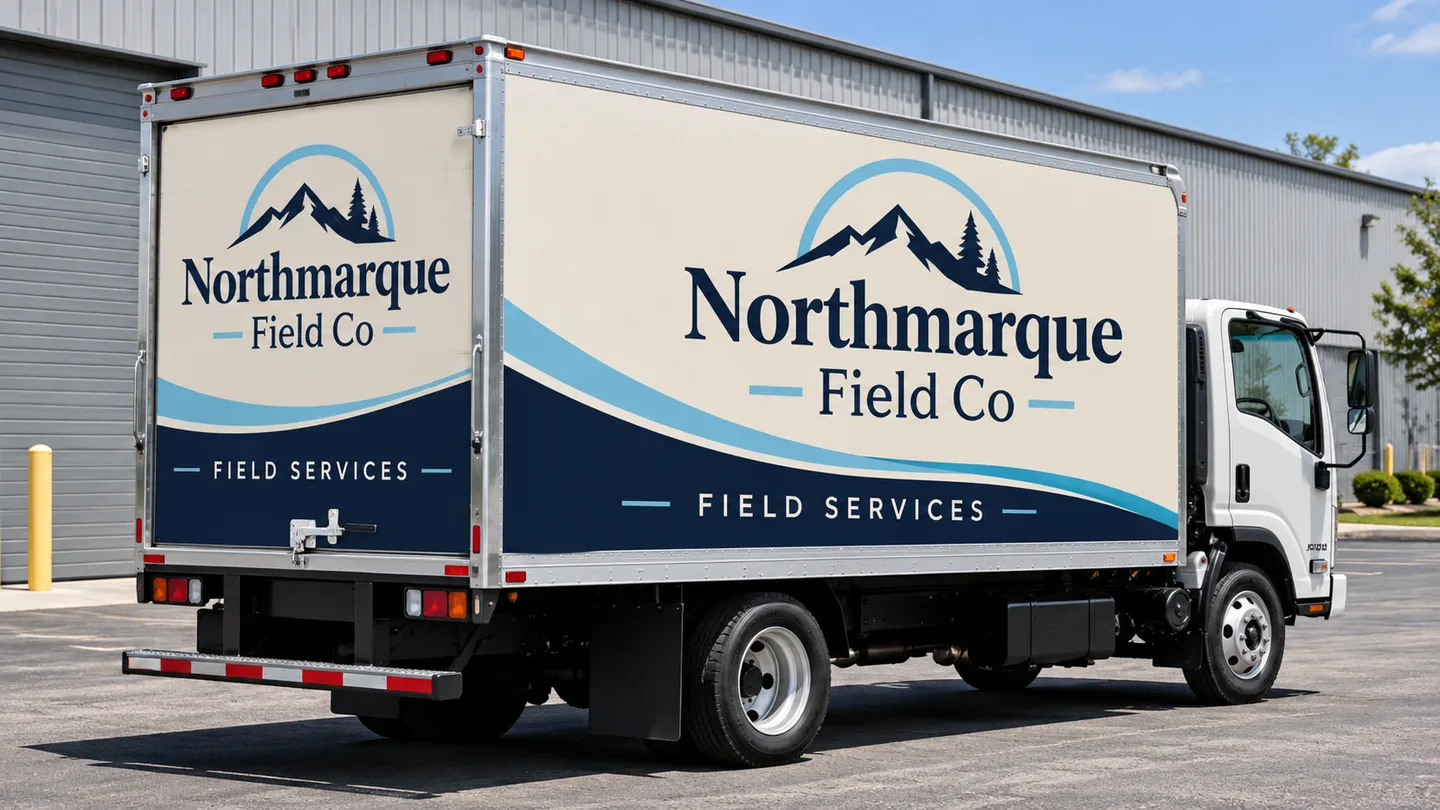
Picture the possibilities
Look at the message, the coverage and the working views.
Northmarque Field Co is a fictional business. These generated design concepts illustrate ideas to discuss for your vehicles.
Plan the graphics for your vehiclesA clear scope before a price
Vehicle size, covered areas, artwork, preparation, existing graphics and the proposed material system all belong in the price discussion.
Useful when the priority is a clear name, service and contact route.
Discuss this scopeCompare the exact panels, message and finish with the full-coverage option.
Discuss this scopeConfirm the included painted panels and any exclusions on the actual vehicle.
Discuss this scopeRequest a price for the actual vehicles and agreed coverage. The free tools below help you compare the assumptions.
Let’s talk vehicles
Tell us how many vehicles you have. We’ll follow up about the vehicles, coverage, design and timing.
Guaranteed response within 2 hours.Know the next step
Guaranteed response within 2 hours. Final project pricing and dates follow review of the scope.
Name, email, phone and vehicle count. Share the project context through the free tool if it is useful.
Discuss the actual vehicles, coverage, artwork, existing graphics and timing.
Check the written scope and vehicle-specific artwork, including the business wording and included surfaces.
Confirm scheduling, preparation, review and the applicable care information.
The free tool
Use the example values to explore, then replace them with your project details.
Use the tool without sharing contact details. Entering a valid email or phone in the inquiry form saves your project entries, filenames, analysis and selected original files, even if unfinished. Original files: up to 50 MB each and 200 MB per batch.
VAN-01 / Example work van; details to confirm
| Filename pattern | Record with image |
|---|---|
| VAN-01_01 | Driver side, straight on |
| VAN-01_02 | Passenger side, straight on |
| VAN-01_03 | Front and rear, straight on |
| VAN-01_04 | Door, handle and trim details |
| VAN-01_05 | Damage, repairs and existing graphics close-ups |
| VAN-01_06 | Equipment detail: Ladder rack; side step |
| VAN-01_07 | Photograph old graphics and their edges. |
| VAN-01_08 | Condition detail: Rear door repair history unknown |
A photo checklist supports an inquiry. Final measurements and paint assessment may still require inspection.
Ready to discuss the vehicles? Get fleet pricing. Save your result to use in that conversation.
Free tools for a better buying decision
A 12-page workbook with generic wrap concepts and fillable worksheets for coverage, quote comparison, budget, fleet availability, artwork, proof approval and vehicle records. Use it with any wrap shop.
Fill it in electronically or print it. No email needed.
Take this to any wrap shop
Print it off so you remember to ask. A practical checklist covering scope, materials, artwork, preparation, scheduling, warranty and handoff, plus questions for this project.
Confidence comes from the details
Use these checks when you review a proposal, a proof or a wrap shop. Keep the answers with your project.
Print the wrap-shop questionsSee the tradeoff
A ladder rack and old graphics add detail shots to the standard side, front and rear photo list.
Illustrative values, not a completed customer project.
VAN-01 / Example work van; details to confirm
| Filename pattern | Record with image |
|---|---|
| VAN-01_01 | Driver side, straight on |
| VAN-01_02 | Passenger side, straight on |
| VAN-01_03 | Front and rear, straight on |
| VAN-01_04 | Door, handle and trim details |
| VAN-01_05 | Damage, repairs and existing graphics close-ups |
| VAN-01_06 | Equipment detail: Ladder rack; side step |
| VAN-01_07 | Photograph old graphics and their edges. |
| VAN-01_08 | Condition detail: Rear door repair history unknown |
A photo checklist supports an inquiry. Final measurements and paint assessment may still require inspection.
Leave with something useful
Build a shot list for the actual vehicle, including the equipment and condition details that are easy to miss.
Build my vehicle photo listBuild it from the project details you enter.
Keep the assumptions and open questions visible.
Copy, save or print the result for your next conversation.
Commercial wrap service
Plan commercial vehicle messages by deciding what each view needs to communicate. Prioritize company identity and service information, choose a clear contact action, and show the actual doors, windows, equipment, and panels in photographs. Discuss placement using those priorities rather than copying a layout from another vehicle.
A business vehicle presents more than one view. A customer may see the side outside a job, the rear at a delivery, or a door while a team member works. A useful graphics brief considers those views without trying to place every detail everywhere. This page helps commercial vehicle owners identify the message priorities for different areas and gather photos of the surfaces involved. It is a planning guide for business communication, not personal appearance changes.
Start with the question a new customer would ask: what does this company do? Identify the business name and service description that should answer it. Then list supporting details in priority order rather than fill the brief with every service available. Show both sides of the actual vehicle because their usable areas and features may differ. Explain whether the vehicle regularly works outside customer properties, at deliveries, or in other business settings. That context supports a focused discussion about the side-view message.
Decide which contact method your business wants to emphasize and verify that the team can respond through it. A rear panel should not become the default location for every detail that did not fit elsewhere in the brief. Consider the actual doors, windows, equipment, and existing markings when describing the available area. Explain any business identifiers that must be discussed separately. The purpose is to prepare a clear contact hierarchy for review, not to dictate a placement before the vehicle configuration has been considered.
Record how the vehicle is used during the working day. Doors may be opened at a job, equipment may cover part of a panel, and different configurations can change the available space. Provide photos that show these details and identify areas the business wants to discuss. Do not assume that a design from an unobstructed vehicle will translate directly. By documenting access points and working features early, you help the artwork conversation address the real vehicle without making unsupported promises about a particular layout.
Buy with the questions answered
A useful wrap connects a clear business message with the right vehicle coverage. Compare the artwork, materials, preparation, installation and handoff included in the proposal before judging the total.
Guaranteed response within 2 hours. The next conversation confirms the vehicle details, proposed coverage, artwork, existing graphics and timing so a project-specific scope can be discussed. Sending an inquiry does not reserve an installation date.
Review the covered surfaces, final business wording, vehicle-specific artwork, proposed material system, preparation and removal needs, price exclusions and agreed handoff. The free wrap-shop questions give you a record to use with any supplier.
Before you decide
For project-specific help, use the four-field inquiry form.
Get fleet pricingDecide which information is essential in each view and explain those priorities in the brief. Some repetition may support a consistent identity, while additional details need their own purpose. The actual layout should be discussed using vehicle photos rather than assumed from a generic example.
Read the detailed guide: Take vehicle overview photos that explain the wrap scope
Choose the contact method that fits how your business handles inquiries, then verify it carefully. A phone number, website, or another approved contact may be appropriate to discuss. Give one method clear priority in the brief instead of assuming every available account needs equal emphasis.
Read the detailed guide: Take vehicle overview photos that explain the wrap scope
They are important details to document because they define the actual vehicle configuration and how it is used. Photograph the relevant surfaces and explain any working requirements. Ask about appropriate placement rather than assume a layout from another body style will suit your vehicle without adjustment.
Read the detailed guide: Take vehicle overview photos that explain the wrap scope
No. You can begin with the business message, vehicle count, and photographs showing the areas you want to discuss. Distinguish essential information from preferences. Placement can then be considered in the context of the proposed scope instead of being fixed before the vehicle details are understood.
Read the detailed guide: Take vehicle overview photos that explain the wrap scope
Give the business name, primary service and a useful contact method a clear order. Concise fleet messaging helps the most important information stand out.
3M sourceUnpainted or textured plastic, rubber and silicone need separate evaluation. 3M's vehicle guidance excludes or limits several of these surfaces for the films covered by that guidance.
3M sourceCarry common colors, typography and messages across the fleet, then adapt placement to each vehicle. A layout that works on a trailer may need substantial changes on a cargo van.
3M sourceUse the finished graphic's care instructions, start with a mild cleaning method, test an inconspicuous area and avoid unnecessary abrasion. Cleaning compatibility depends on the finished graphic.
3M sourceChicago business vehicle owners can prepare these details before confirming project scope and vehicle logistics. Tell us about your vehicles.